GO, fade, stop
Space is GO, F fades out, Esc stops everything. Arrow keys move standby. GO can fade out whatever is still playing before the next cue lands.

Now in private beta for live venues
2Booth gives each show one link. Acts send their music, video, images and documents from their phone, with a note for every cue. The booth gets a cached cue list with GO on the space bar.
Free during the beta. Acts never need an account or an app.
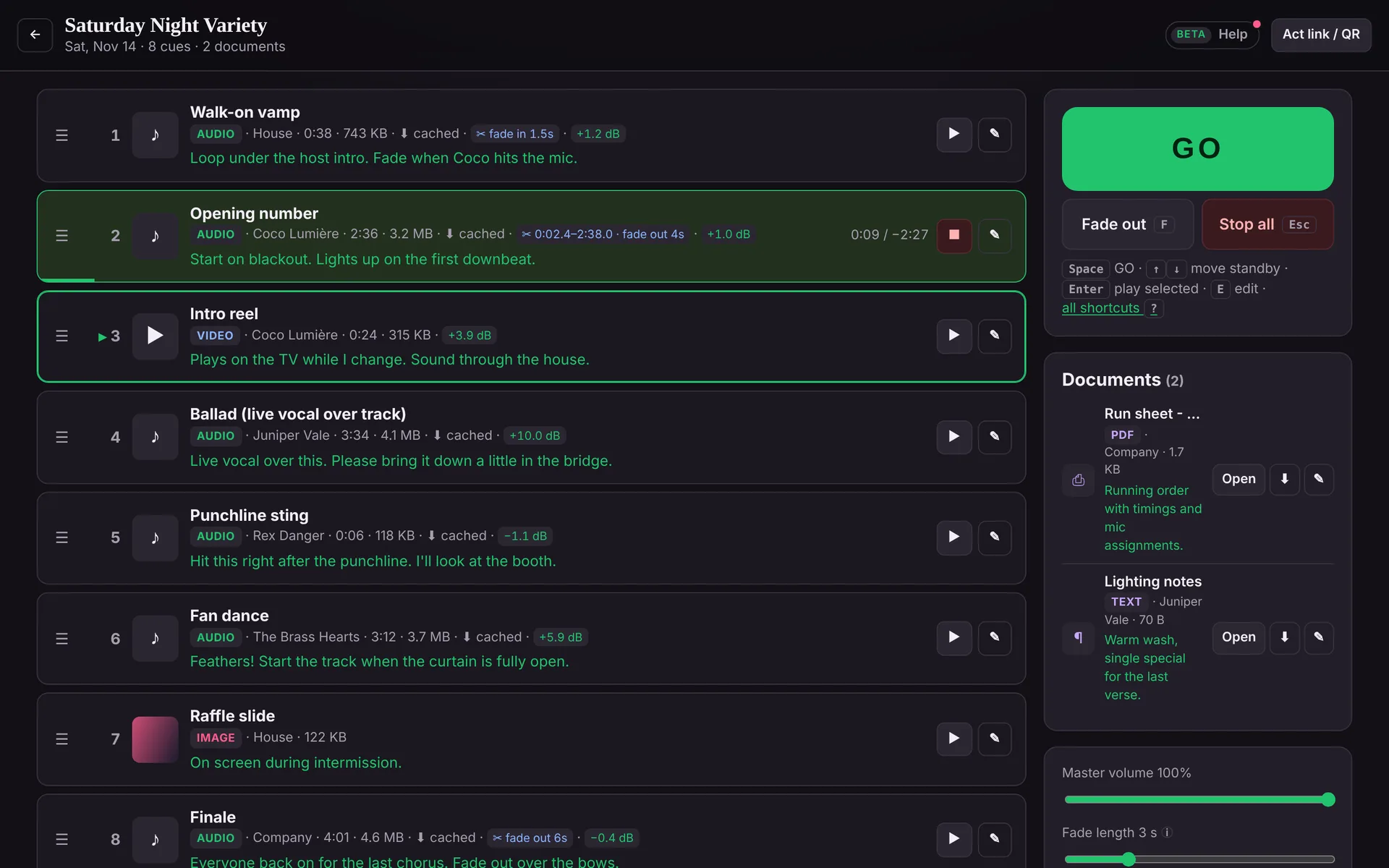
Replaces the inbox, the group chat, the thumb drive and the “is this the right version?” at 7:55.
How it works
Create a show from the venue dashboard and send acts its link, or print the QR code for the green room. Add a PIN if you want to keep it to the cast.
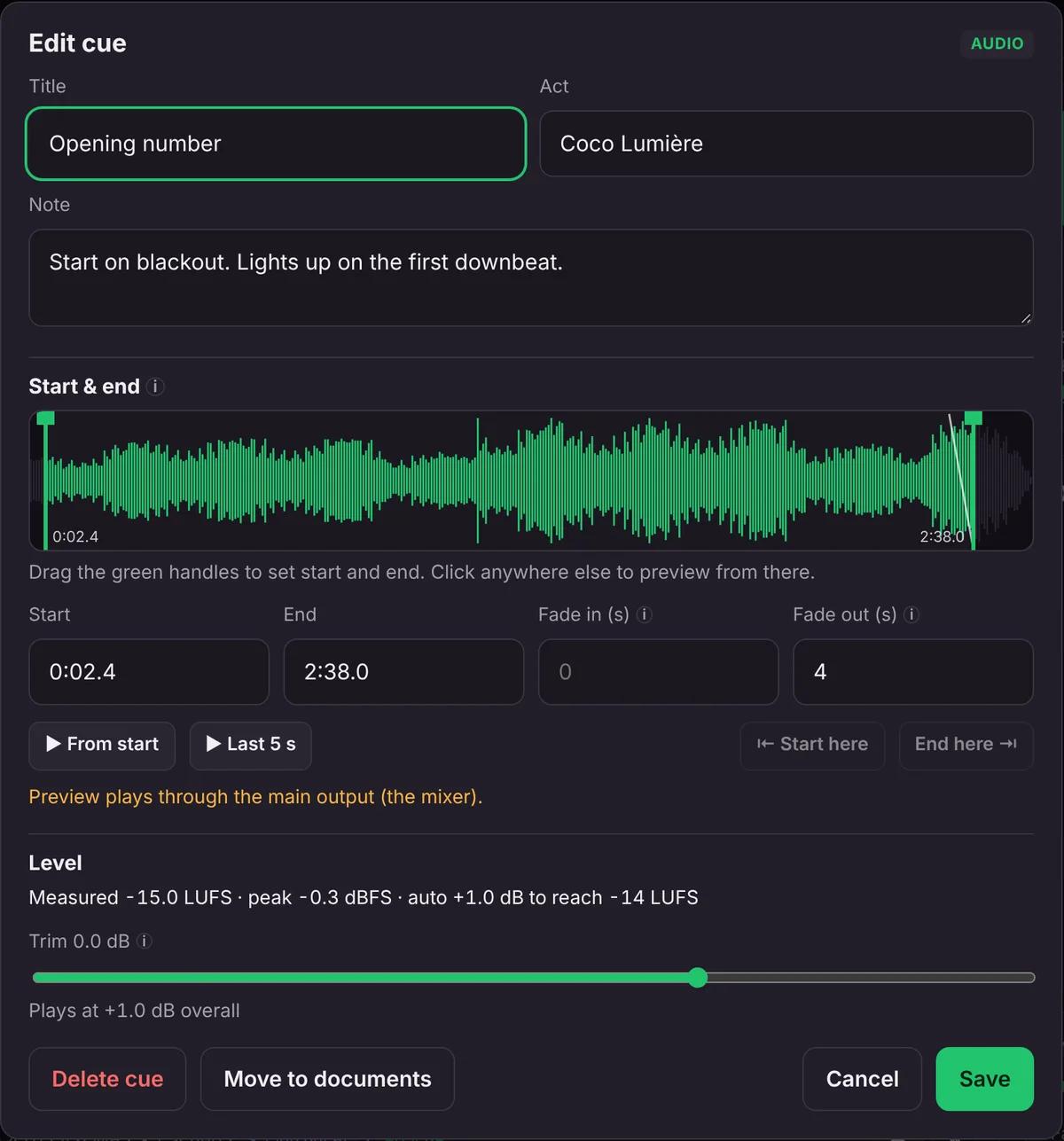
Tracks, video, images, plus scripts, run sheets and lighting notes. Each cue can have a note (“start on blackout”, “fade on the bows”) and acts drag their cues into order. Files up to 5 GB, sent in parts so a Wi-Fi hiccup only resends one part.
Open the Booth View on the show laptop. New submissions appear on their own. Audio caches locally, every file is measured for loudness, and the whole show runs from the keyboard.
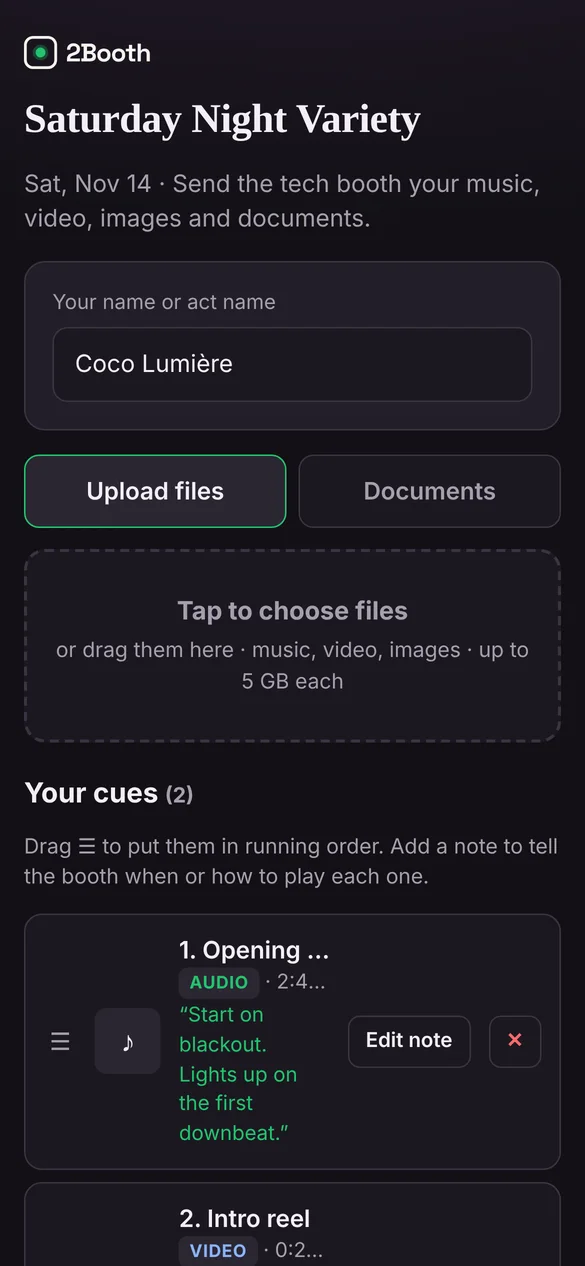
The Booth View
Everything you need mid-show is one key away, and nothing pops up while a cue is running.
Space is GO, F fades out, Esc stops everything. Arrow keys move standby. GO can fade out whatever is still playing before the next cue lands.
Audio downloads to the booth laptop ahead of the show, so playback doesn’t depend on venue Wi-Fi. A status light tells you when every file is ready.
Each file is measured (EBU R128 integrated loudness) and brought to a target level, −14 LUFS by default, with a limiter on the output. A per-cue trim sits on top.
Images and video go to a separate window you drag onto the TV or projector. Video sound plays out of the laptop like everything else, so it reaches the mixer.
Run sheets, scripts, lighting plots and slide decks from acts sit beside the cue list, ready to open, without cluttering the running order.
When an act sends a new file or changes a note, it shows up in the booth view on its own. No refreshing, no chasing the latest email.
Cue editor
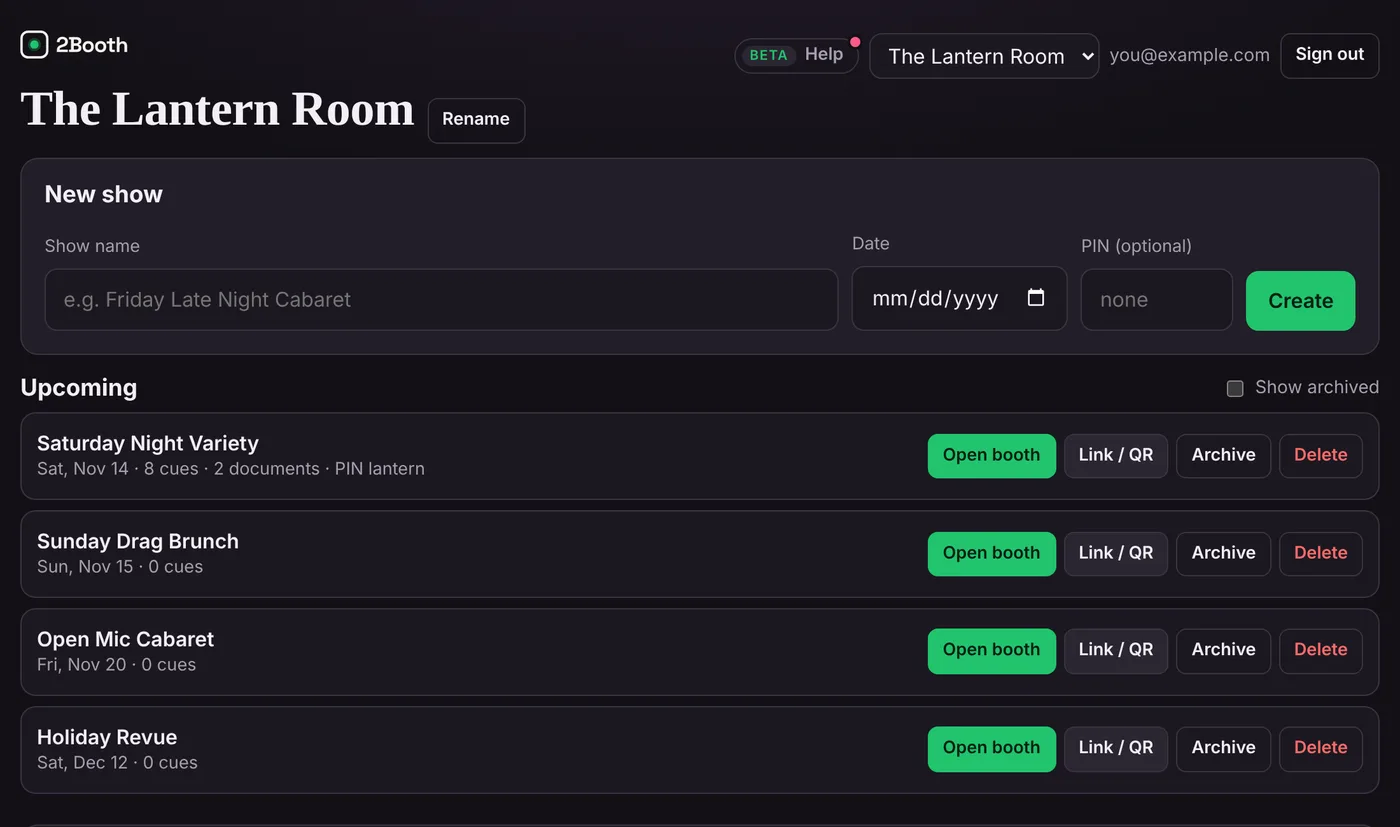
For the whole venue
Who it’s for
A different lineup every week, each act with their own tracks and notes.
For cabarets →Collect the cast’s mixes before you load in, wherever the show lands.
For producers →Dozens of routines and one track each, in order, at a consistent level.
For recitals →Presenter walk-ons, slides and videos gathered ahead of the run-through.
For events →Specs
Private beta
We’re bringing venues and producers on a few at a time, so each one gets set up properly and heard. The beta is free.
We’ll only use your details to contact you about the beta.
Thanks, there. We’ll email to set up a time to get your venue running.
FAQ
No. They open the show link or scan the QR code, type their act name and upload. If the show has a PIN, they enter it once.
Audio is downloaded to the booth laptop before the show and plays from there. The booth view shows when every file is cached and measured, so you know before doors.
For many cabarets and variety nights, yes: it collects the media and runs the show. If you already run a dedicated cue system, 2Booth still handles the part that system doesn’t: getting every act’s files, notes and order to the booth.
Public performance licensing stays with the venue, the same as when acts bring a thumb drive. 2Booth moves and plays the files you already have the right to use.
Only your venue’s signed-in team. Acts see their own cues, not other acts’. Archiving a show closes its link.
The beta is free. Beta venues will hear about pricing before anything changes, with time to decide.